

Our baby list, told step by step
A first baby on the way, two families, a very chatty WhatsApp group and a single list. Here is how Malik and I ran it, in order — from choosing the date to the thank-you cards. At each stage, the guide that goes into more detail.
The people in this story
- Chloe, who tells the story
- Malik, her partner
- Danielle, Chloe's mum
- Karim, Malik's brother
- Lea, her friend
- Priya, a colleague of Chloe's
- Aunt Josie
Our list, chapter by chapter
Which date for a baby list?
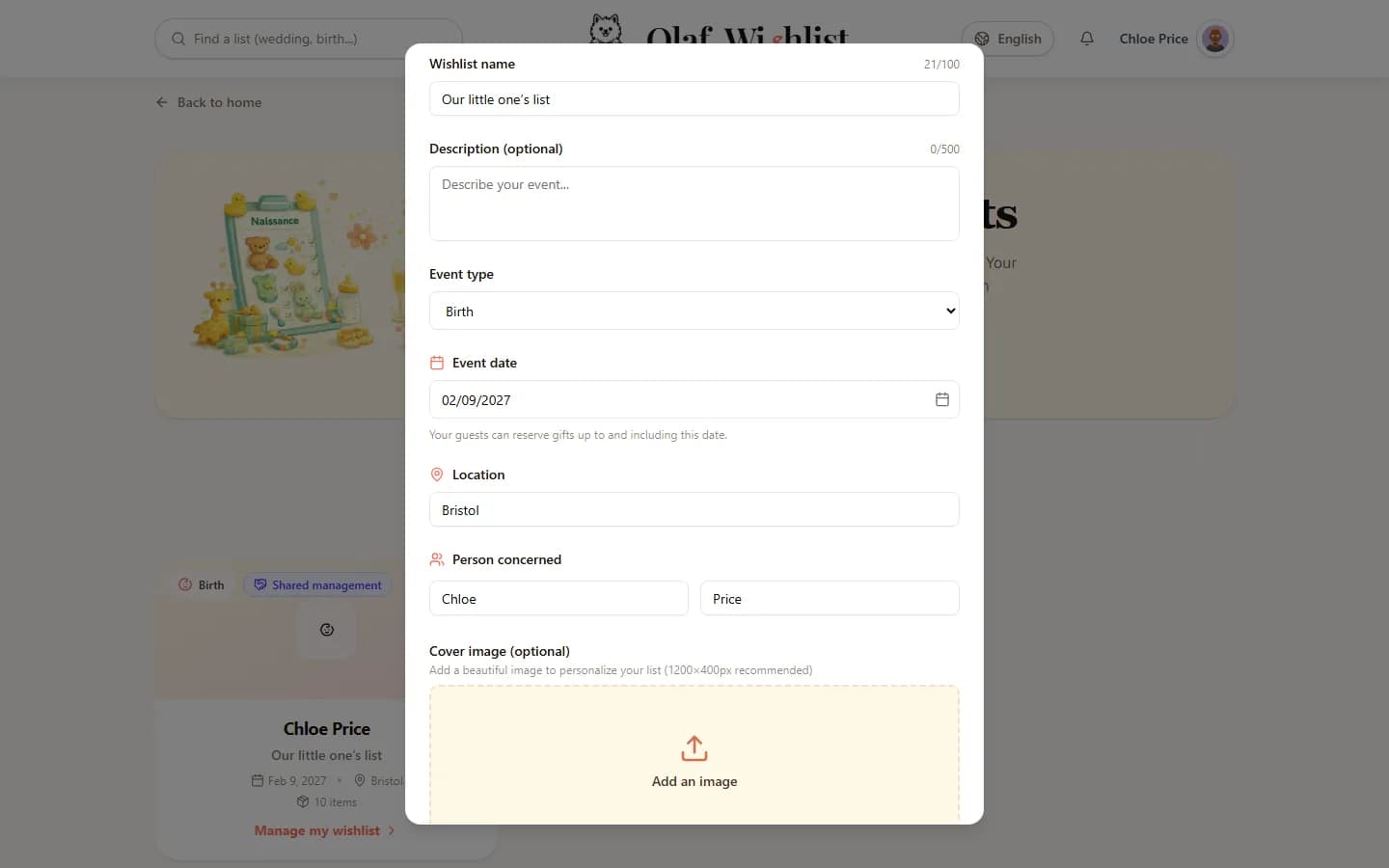
When I created our list, I picked the baby type, then straight away “Follow reservations”: before the baby arrived, we wanted to know what was still missing. That left the date. The list closes to family and friends the day after that date, and the date can't be changed afterwards. So I didn't put the due date: I chose the day we'd introduce the baby to the family, two months later. Gifts brought to the maternity ward or during the first visits still count.
Find out more: Dates & EventsPublic lists
The link rather than the search
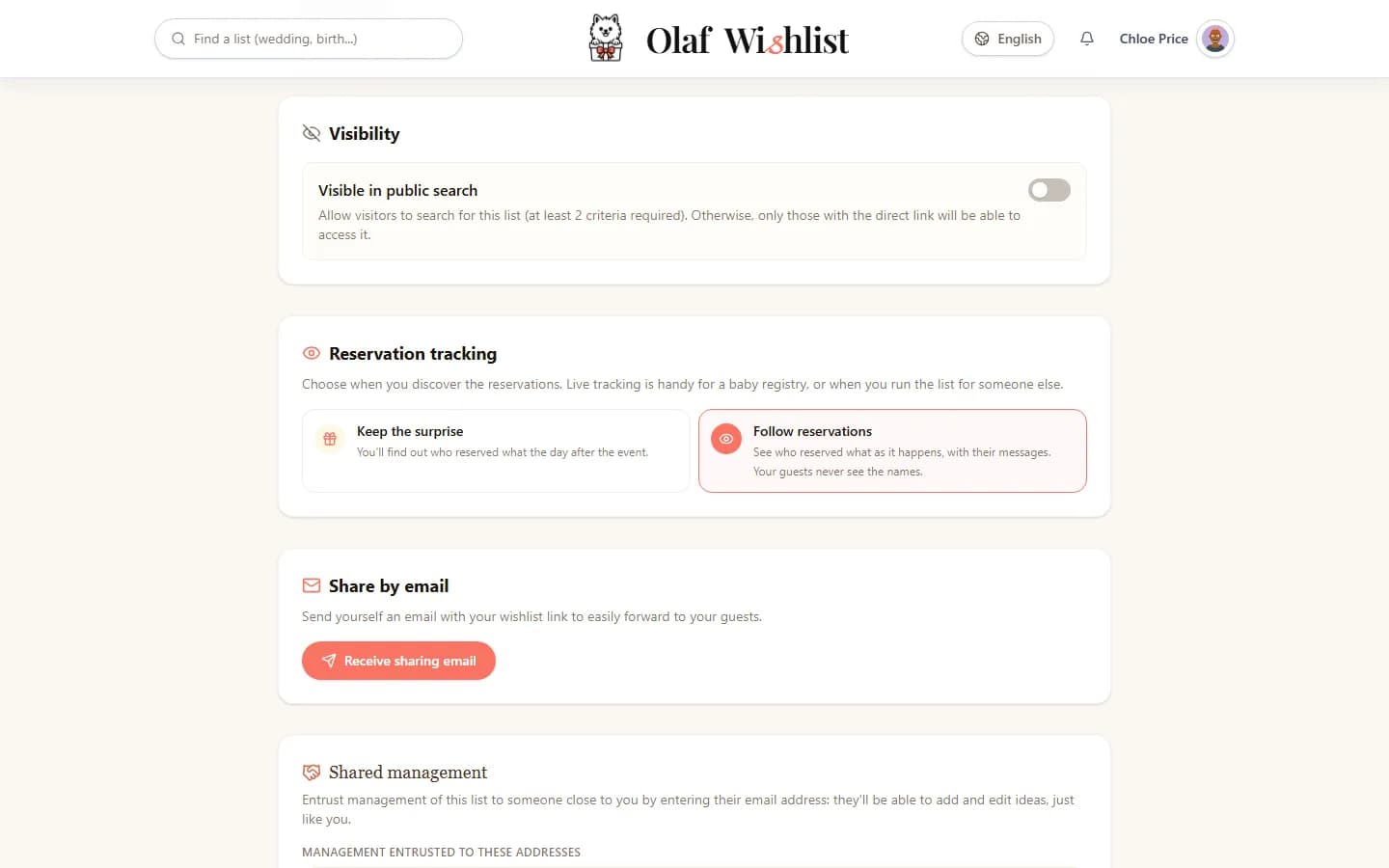
A public list can be found through the site's search, with its date, its type and a name or a town. For Lea's wedding, that was perfect: everyone knew the date and the couple's names. For us, the search would have been no use. Our family didn't know the date I had chosen, since it wasn't the due date, and we were keeping the baby's name to ourselves until the birth. So I unticked “Visible in public search”: our list would travel by its link, sent directly.
Find out more: Public lists
Saturday at the baby shop
On Saturday, at the baby shop, Malik scanned the barcode of the car seat we had just tried: it landed in our list with its name. As for the crib, a neighbour was selling hers second-hand, with no box and no barcode: I took a photo of it, and the idea practically filled itself in. In the evening, on my laptop, the browser extension did the rest from the shops' websites.
Find out more: Mobile appAutomatic product extractionBrowser extension
Pushchair and car seat on top
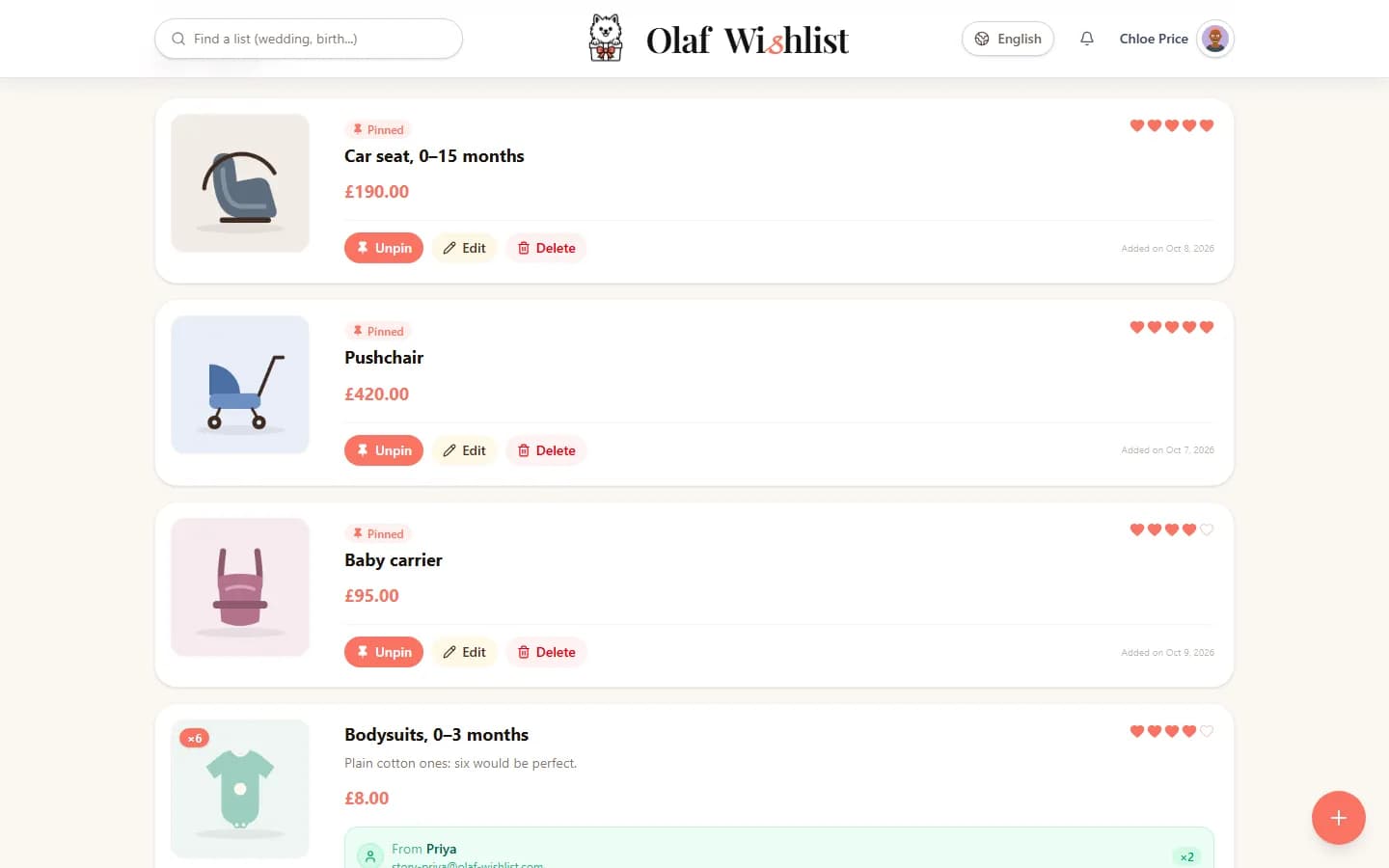
Three ideas mattered more than the others: the pushchair, the car seat and the baby carrier. I pinned them so they stay at the top of the list for everyone, and used hearts to show the rest of our preferences. For the 0–3 month bodysuits, I asked for six. And two ideas had no link at all: “Home-cooked meals for the first week” and “An evening of babysitting”.
Find out more: Public lists
The link in the family WhatsApp group
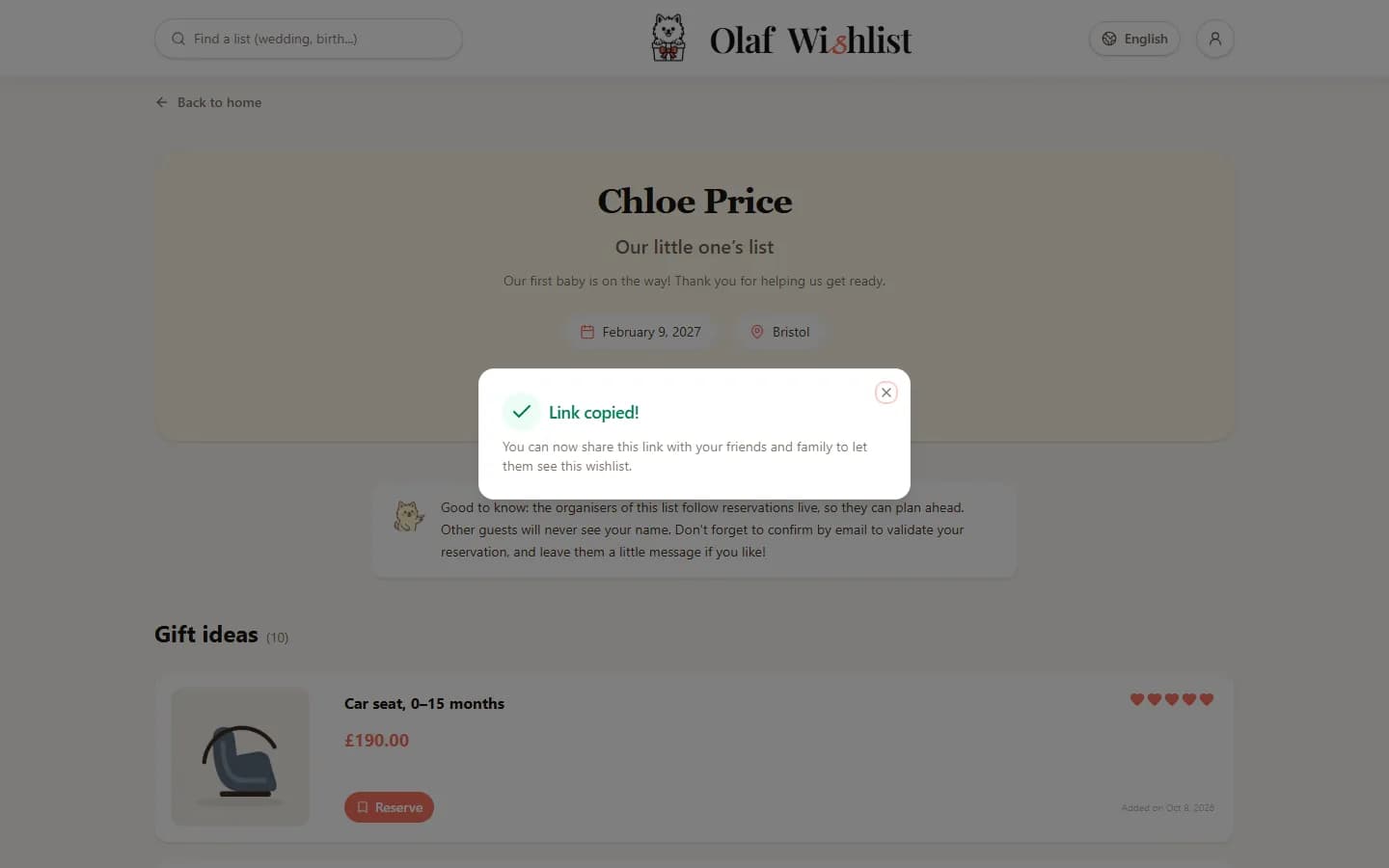
No invitation card, no search: our list travelled through people's chats. In the app, I opened the list, tapped “Share” and picked WhatsApp — any other messaging app would have done. The message was already written, with the link: I sent it to the “Family” group.
My mum, Danielle, forwarded it straight away to her friends and the great-aunts, and Karim, Malik's brother, to the chat on their side of the family. People who have the app open the list in it; the others open it in their browser, without creating an account. And from the list, “Copy public link” lets anyone pass it on in turn.
Find out more: Sharing & InvitationsPublic listsMobile app
Reserving without an account, fully informed
Aunt Josie got the link from my mum. No account, and no wish to create one: her name, her email address, a few words for us, then one click on the link she received by email to confirm. If she changes her mind, the same email lets her cancel. Before she confirmed, the form told her that we can see the reservations on this list: she reserved fully informed.
Find out more: Public listsReservations & Group contributions
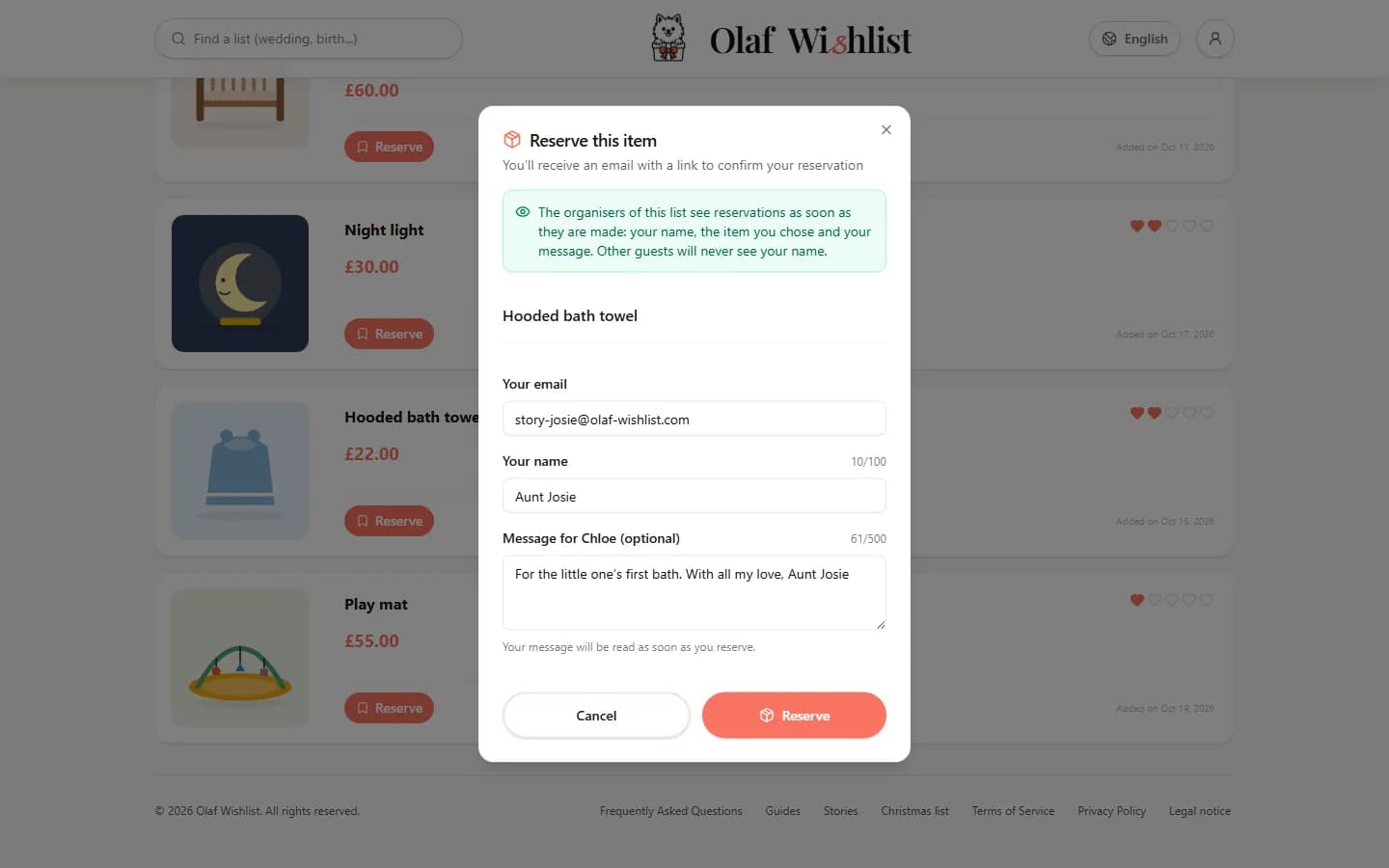
Six bodysuits, three people
Priya, my colleague, took two bodysuits, and Aunt Josie two more. Whoever opened the list next could see that two were left, never who had taken the others: Malik and I see the names, our family and friends don't. The last two went a little later, and nobody turned up with a bag of twelve bodysuits.
Find out more: Reservations & Group contributions
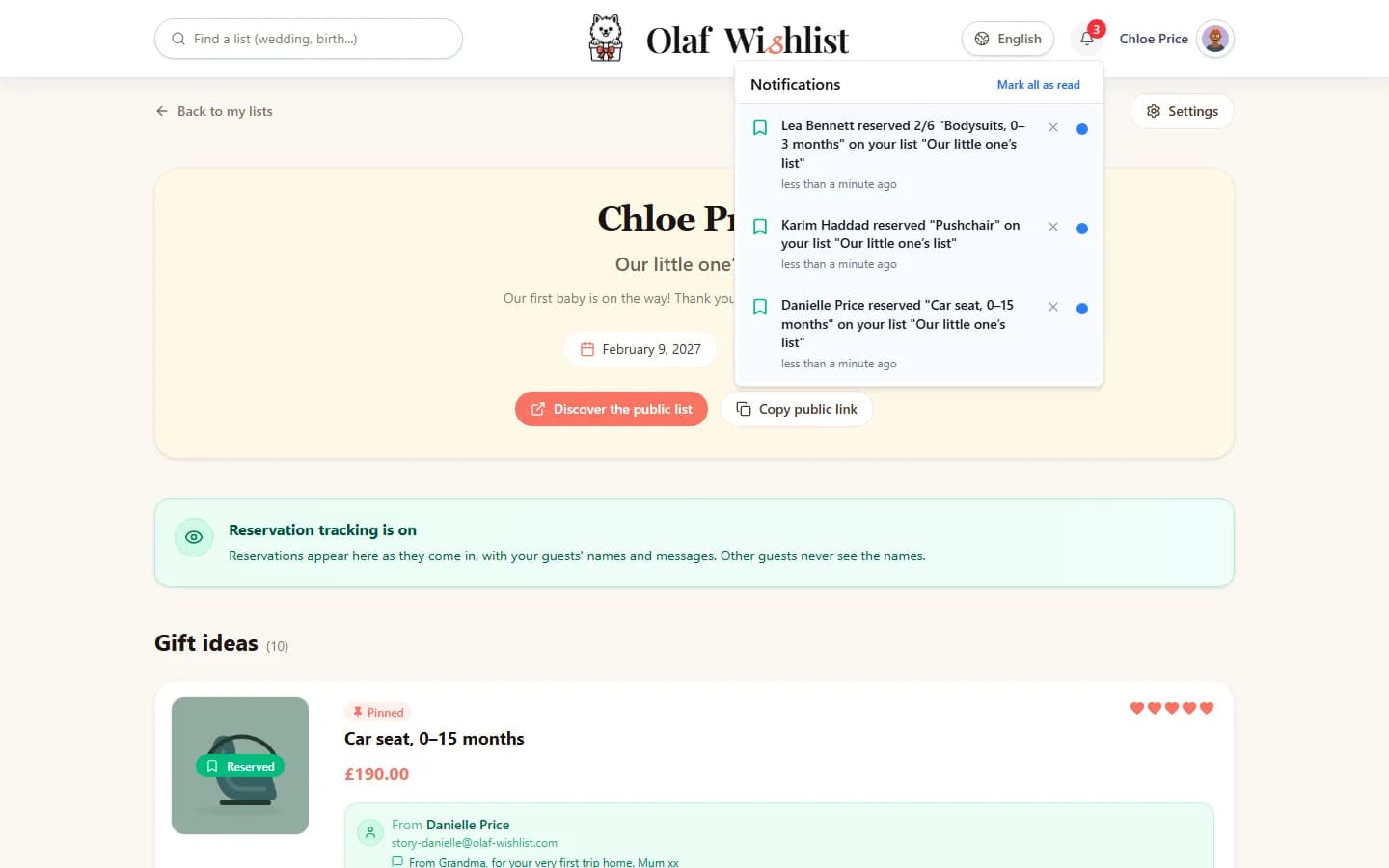
My phone tells me about every reservation
Since the list follows reservations, each one is announced to both of us, Malik and me: in the app, by email or on the phone, depending on what each of us chose in our settings. When my mum reserved the car seat, then Karim the pushchair, we knew within a minute. A month before the due date, the list page showed at a glance what was still left to give: the night light and the play mat, which I bought myself.
Find out more: NotificationsPublic lists
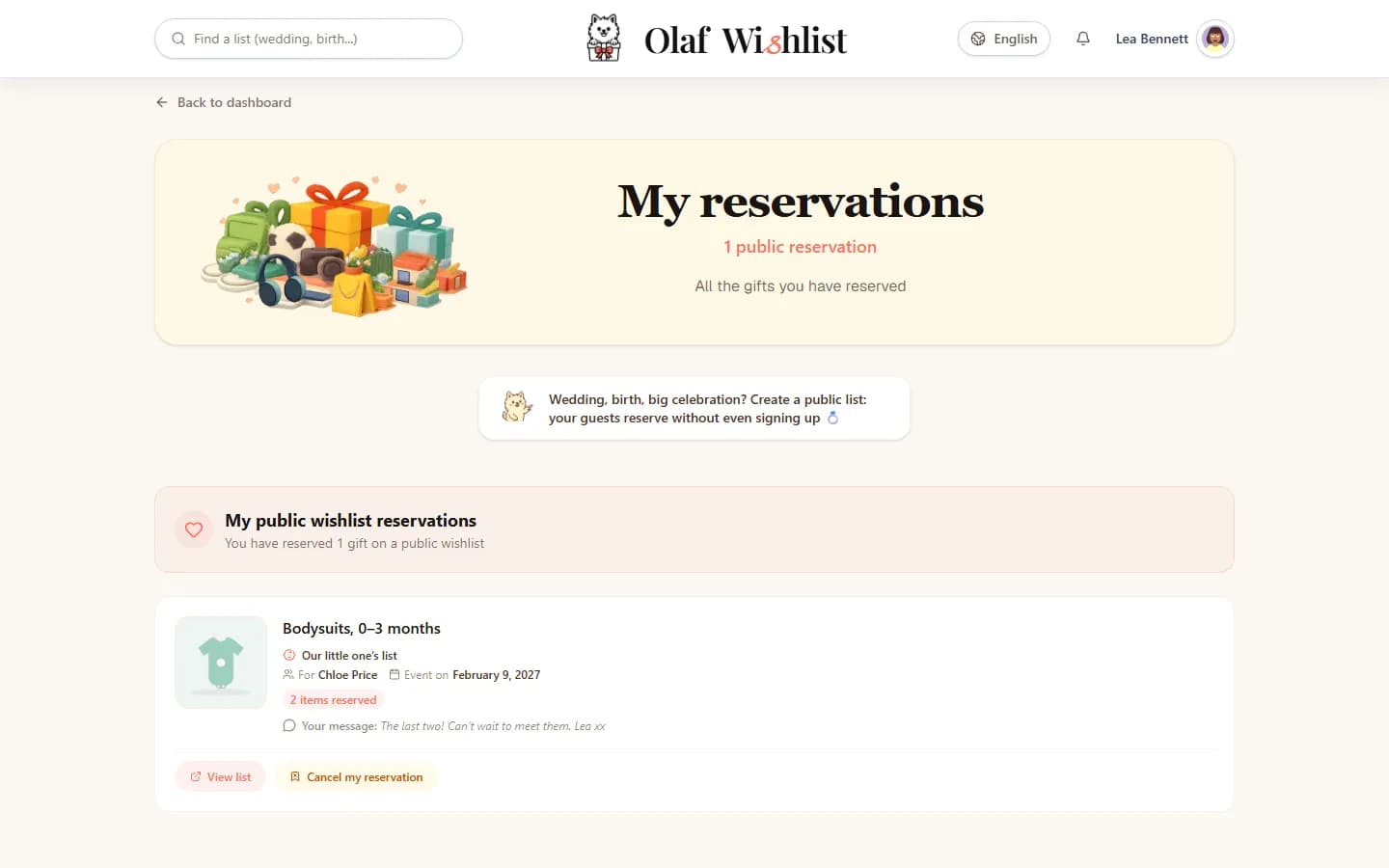
Lea finds her reservation
Lea has had an account since her wedding last year. She reserved the last two bodysuits in one click, with no email to confirm, and her reservation is waiting for her in “My reservations”, in the public lists section. If she changes her mind, that's where she can cancel it.
Find out more: Reservations & Group contributionsOur wedding list, told step by step
The introduction, then the thank-yous
The day after we introduced the baby to the family, the list closed to everyone else. We kept everything: every name, every address, every message. The thank-you cards practically wrote themselves.
Find out more: Dates & Events
And for his first birthday
For his first birthday, we're moving on to private lists. I added our son as someone I look after, and created a list for him in the family group. Since he's the one being spoilt and not me, I can see what the family reserves there, and I can reserve too. What comes next will probably look a lot like a family Christmas.
Find out more: Family & loved ones managementPrivate listsA family Christmas, told step by step
One list, two parents to run it, a WhatsApp group to pass it around, and not one bodysuit too many. The only real decision to make was the date.
Create our baby listThe screenshots on this page show the app in English. Any names, lists and amounts you can see in them are fictional.
More stories
A family Christmas, told step by step
A family, its lists and its secret reservations, told step by step with screens from the app.
Our wedding list, told step by step
A couple, their wedding list and their guests, told step by step — from keeping the surprise to following reservations, with screens from the app.